My Main Tools
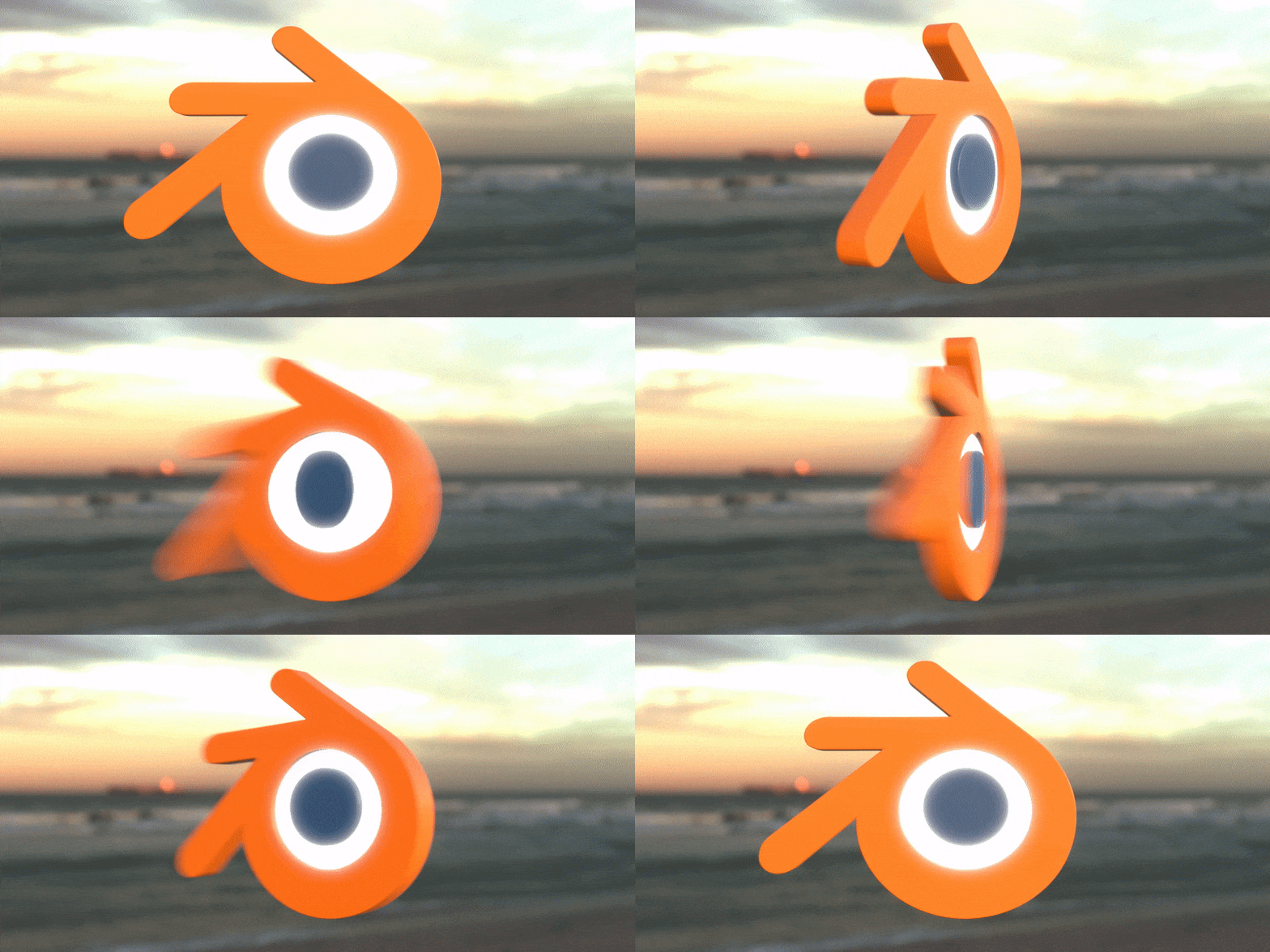
Over the years, I've assembled a handful of creative tools that run my art, dev, and modeling workflows. Many of these are free and open-source software (FOSS), proving that you don't need expensive subscriptions or convoluted licenses to create great work.
Knowledge Management and Organization
Obsidian
FOSS: No (Free for personal use, paid for commercial)
Obsidian has transformed how I organize my creative projects, research, and ideas. While it's not FOSS, it's free for personal use and has become an indispensable part of my workflow. It becomes the digital equivalent of a second brain.
I also use my own self-hosted Trilium Notes instance, but I find it lacks much of what is just intuitively there inside of Obsidian. Therefore, Trilium notes will probably just get migrated into my Second Brain vault as well.
What sets Obsidian apart is its approach to note-taking: everything is stored as plain Markdown files on your local machine. This means you truly own your data. No cloud lock-in, no proprietary formats, just simple text files you can access with any editor if you ever need to. Obsidian's actual power comes from how it transforms those simple files into an interconnected knowledge base.
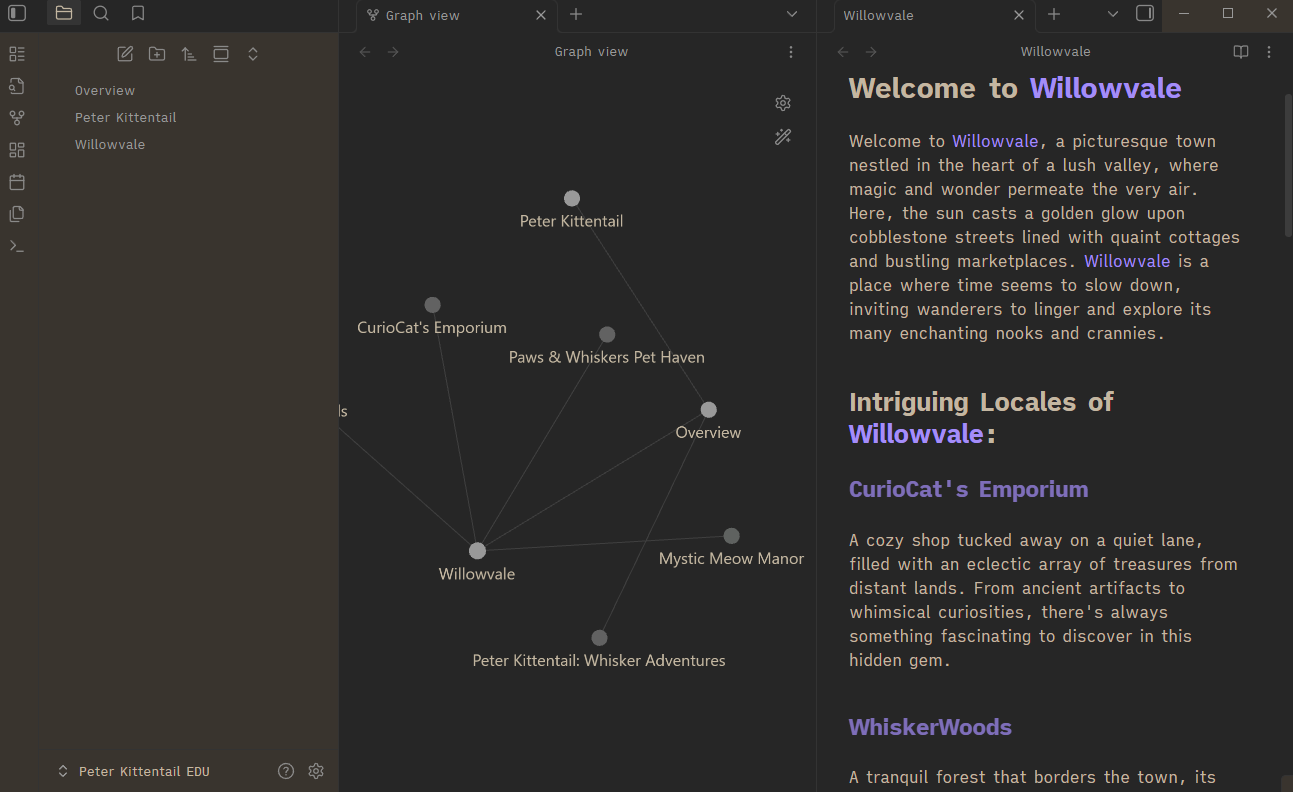
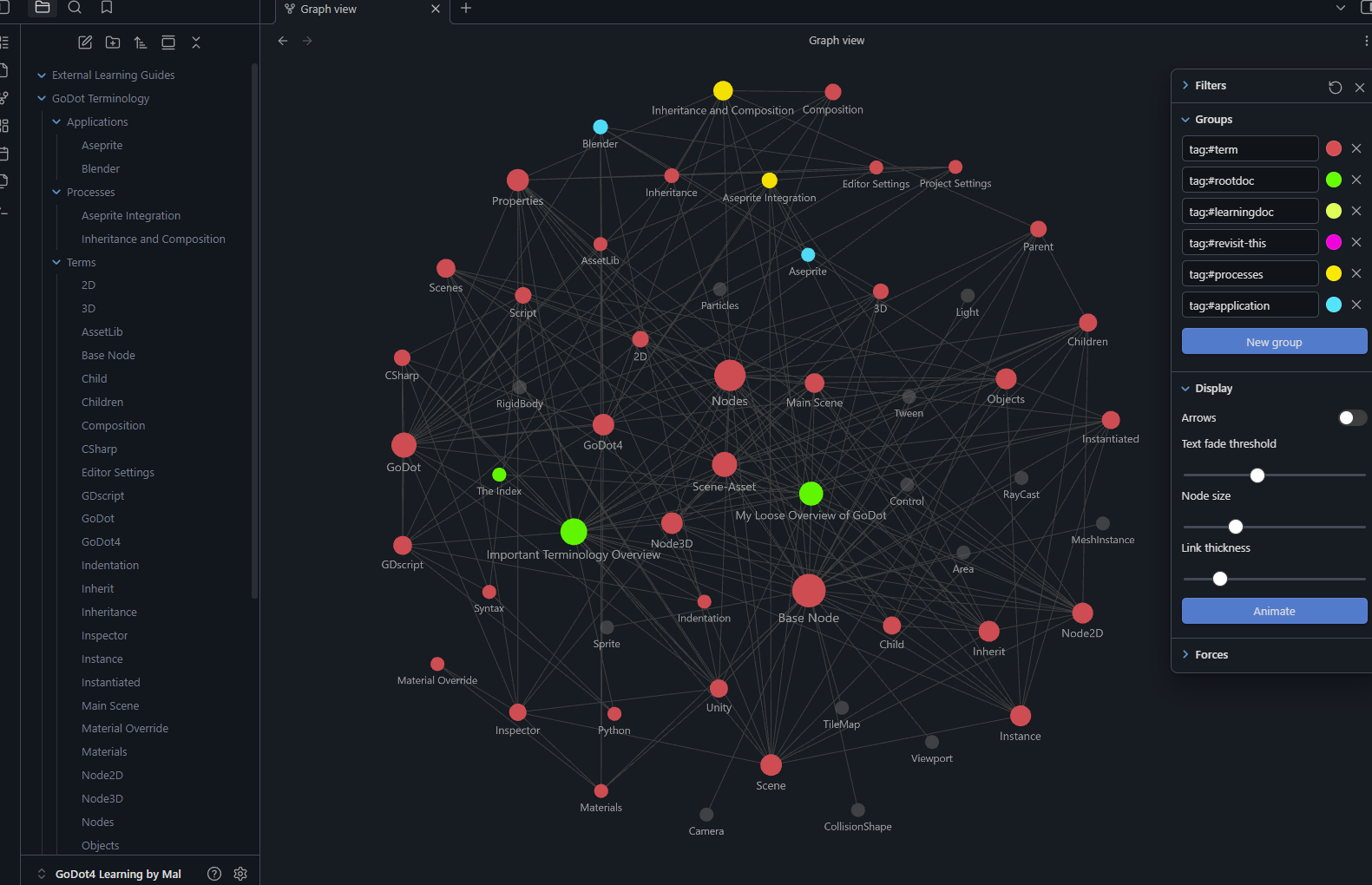
The linking system is easy and brilliant. Creating connections between notes is as simple as typing [[note name]], and over time, these links form a web of knowledge that mirrors how your brain actually works. The graph view visualizes these connections, often revealing relationships between ideas you hadn't consciously noticed. It's particularly valuable for creative work where inspiration often comes from unexpected connections.
For my workflow, Obsidian serves multiple purposes. I use it to document project ideas, track technical solutions and workflows, maintain design documentation, and keep development logs for my game projects. The plugin ecosystem extends functionality enormously. There is also canvas mode for visual brainstorming, daily notes for journaling, templates for consistent project structures, and integration with task management systems.
Resource wise it consumes none of your system's resources. Once again, it's handling .MD (Markdown) files that are about the size of a standard text file, give or take.
What I appreciate most is how Obsidian stays out of your way. It's not trying to force a particular organizational system on you and it grows organically with your needs. Whether you prefer a strict folder hierarchy, a tag-based system, or a more chaotic web of links, Obsidian will accommodate your thinking type.
Pixel Art and 2D Creation
Aseprite
FOSS: Yes (source code available, but compiled version is paid)
Aseprite is hands-down my favorite tool for pixel pushing. While it's typically a paid application, it frequently appears in Humble Bundles, making it accessible at a great price point. Whether you're creating game sprites, animated icons, or full pixel art scenes, Aseprite streamlines the entire process with features like onion skinning, tilemap support, and a clean, distraction-free interface.
- There is also a different build that is entirely free called LibreSprite, which you can find here: https://libresprite.github.io/
WigglyPaint
FOSS: Yes
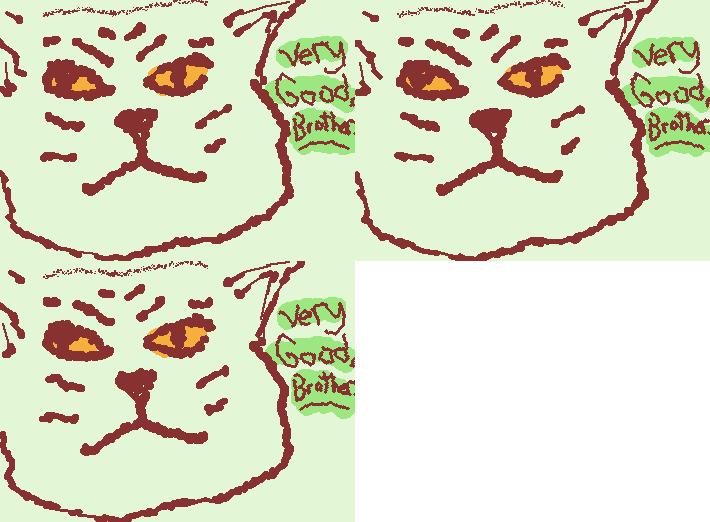
Sometimes you just want to just draw stuff that squiggles, and that's all WigglyPaint is about. Created by Internet Janitor and available on itch.io, this fun tool lets you make squiggly, organic drawings with a unique aesthetic. You can swap pallets without changing the entire drawing as well. It's not trying to be a full-featured art program but just a sketch pad with crawling lines.
With all that said, I actually use this pretty often to create small images or diagrams for digital documentation. I tend to actually use it more for writing myself little GIF sticky notes that I throw into my Obsidian notes. They grab my attention and I like colors. 🌈
PixiEditor
FOSS: Yes
Available free on Steam, PixiEditor is an intuitive pixel art editor that offers three distinct workflow modes to match your preferred approach. The interface is clean and beginner-friendly while still packing powerful features for advanced users. I should mention that I've experienced some quirks with my pen tablet setup in it. It seems to conflict with my specific tablet brand's software, but this might be an isolated issue.
Setting that aside, PixiEditor is a solid, capable tool that's especially great for newcomers to pixel art. I don't consider myself a pixel artist so I can't attest to a more complicated workflow, but I find it better than working in some of the other suites out there.
Krita
FOSS: Yes
Krita is my go-to application for digital painting and concept art. It has 'mostly' replaced Adobe Photoshop in my workflow for texture painting as well. Unfortunately, I'm still trying to get out of that Adobe ecosystem in certain forms.
As an early supporter of the project, I've watched it grow into one of the most powerful FOSS painting programs available. Krita excels at brush work with an extensive brush engine that rivals commercial alternatives like Photoshop. I primarily use it for sketching out initial concepts and ideas before moving them into 3D workflows.
The stabilizer features, layer management, and animation capabilities make it a versatile workhorse for any digital artist. If you're looking for a free alternative to Photoshop or Corel Painter, Krita should be your first choice.
Note: Krita is on Steam as well, but it is available there for a small donation rather than free like from their website. Both versions are identical.
- Select Your Download: Krita Website Download (Free) | Steam (Donate)
Vector Graphics
Inkscape
FOSS: Yes
Inkscape is my vector graphics tool of choice. If I need to create SVGs or precise shapes, this is what I do to in order to create those complex building pieces. I frequently use it to design elements that I then import into Blender, where I can extrude and manipulate them in three dimensions. Back when I was doing more logo design and production art work, Inkscape was my FOSS alternative to Adobe Illustrator and it never let me down.
One of Inkscape's hidden gems is its built-in bitmap tracer, which can convert raster images into scalable vector graphics. While it has its limitations (as any bitmap-to-vector conversion does), it's remarkably powerful for creating clean, scalable artwork from hand-drawn sketches or photographic sources.
Whether you're creating logos, technical illustrations, or preparing assets for laser cutting / 3D Printing, Inkscape can do it.
3D Modeling and Animation
Blender
FOSS: Yes
Blender is where I spend approximately 75% of my visual workflow time and it's my primary tool. I am in love with it as a whole, and have been since I picked it up way back in the 2000's.
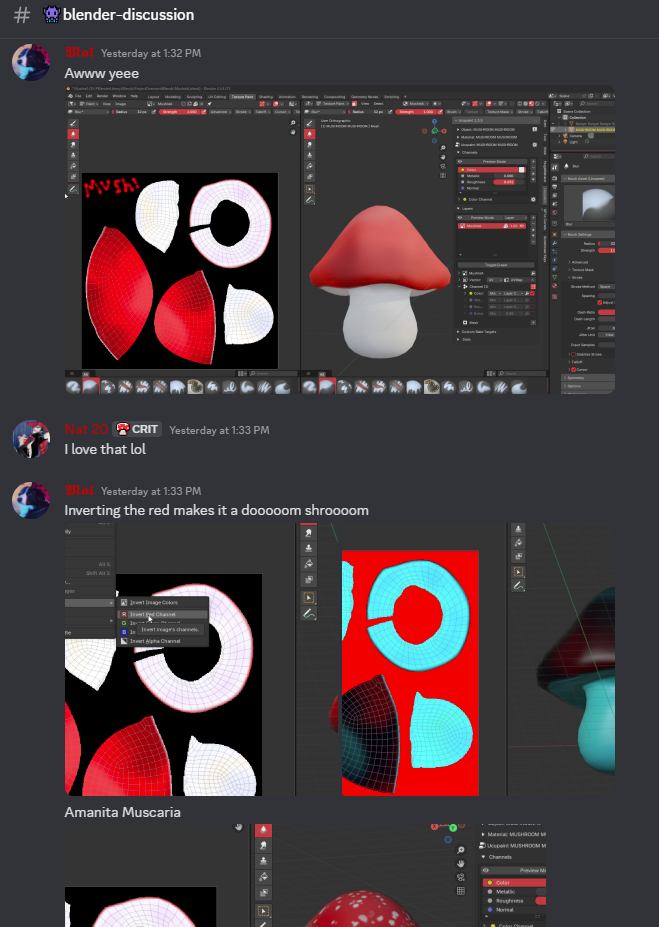
This open-source 3D creation suite has evolved into an industry-standard application that rivals any commercial alternative. I can handle modeling, sculpting, animation, VFX, rendering, and even video editing right out of the box. If there is something it cannot yet do, then there is an addon for it or the Blender Team is probably already working on it.
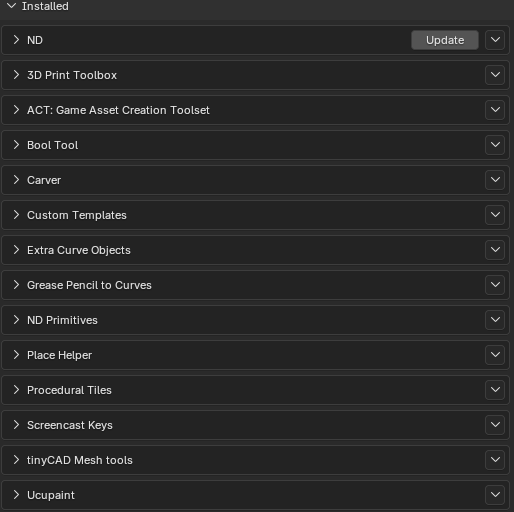
What really amplifies Blender's power are the addons and extensions. Here are the ones I consider essential:
- Ucupaint: A node-based painting system that revolutionizes texture painting workflows within Blender. Less back and forth with external image editors has been so nice since it came along. Learn More Here - Because it's awesome. You can also see me using it in the red mushroom I made above!
- HugeMenace's ND (Non-Destructive) Modeling Addon: Streamlines hard-surface modeling with non-destructive boolean operations and bevels.
- ACT Asset Tool Kit: Makes asset management and library organization significantly easier.
- 3D Print Toolbox: Essential for anyone creating models for 3D printing, with analysis and cleanup tools. The "Make Manifold" button is very much my friend sometimes.
- TinyCAD: Adds precision CAD-like tools for exact modeling work. Combining this with other tools on this list, part creation workflows are possible in Blender.
- Carver: A powerful boolean and sculpting tool that speeds up mesh editing. This allows you to make cuts from camera projection (massively useful for quick part planning) and do some rather interesting bool operations.
If you're serious about 3D art or game development, or anything I mentioned, then investing time in learning Blender is worth it.
- Blender Documentation: https://developer.blender.org/docs/
Blockbench
FOSS: Yes
Blockbench occupies a unique space in my workflow and I really don't use it as often as I probably could. I've used it mostly for Minecraft modding and low-poly modeling. While Blender is powerful, it can be overkill for simpler models, especially when you need to create blocky, game-ready assets quickly with little clean-up needed.
What makes Blockbench shine is its intuitive texture alignment system. Unlike Blender, which requires UV unwrapping knowledge, Blockbench makes texturing straightforward enough that almost anyone can jump in and start creating. It's particularly brilliant for voxel-based or cubic models, and its real-time preview makes iteration fast. The tool doesn't hold your hand with automated features but instead, it relies on user creativity while providing an accessible framework. Think of it as the difference between a complex DAW and a simple MIDI sequencer: sometimes simplicity unleashes creativity.
Tinkercad
FOSS: No (Free web-based tool by Autodesk, so take that as you will.)
Tinkercad might be a web-based tool that has some specific uses. Particularly when I'm teaching people how to get started with 3D printing. While it's not FOSS and is owned by Autodesk, it's completely free to use and requires nothing more than a web browser. It stores any models you create as well.
What makes Tinkercad invaluable is its approach to 3D modeling. Instead of complex polygon editing or sculpting, it uses constructive solid geometry (CSG) basically combining and subtracting simple shapes to create more complex objects. This means someone with zero 3D modeling experience can be creating printable models within minutes.
Example of how it works: Drag a cylinder, add a box, then 'group' them together, and now whatever that collision was is now it's own object with a different UUID with no parent to the previous objects used to create it. If you hit 'ungroup', then it becomes the parent objects from memory.
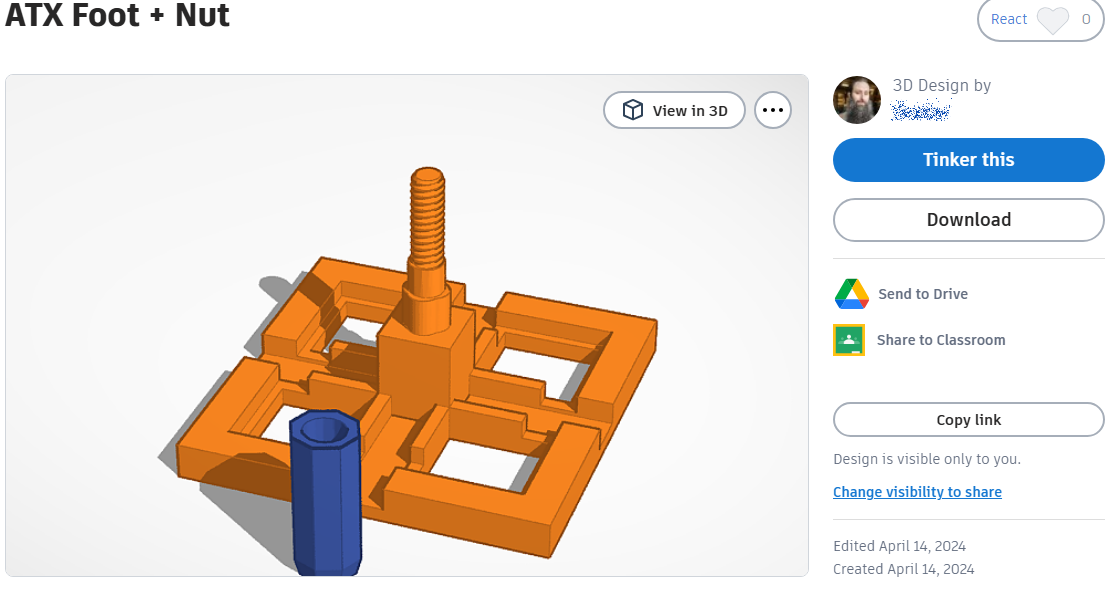
I primarily use Tinkercad when teaching others about 3D printing because the barrier to entry is almost nonexistent. There's no software to install, no overwhelming interface to navigate, and no prerequisite knowledge needed. Students can work on their projects from any computer, including tablet or phone browser, and the built-in export to STL makes the path from design to print completely straightforward.
For quick, simple functional prints: things like brackets, mounting plates, replacement parts, or basic enclosures, creating it in Tinkercad and saving it to file is much faster than firing up Blender and doing it there.
Yes, it has limitations because it's big simple, but those limitations also keep the interface clean and the learning curve gentle. It's the perfect gateway drug into 3D modeling, and I've seen it transform complete beginners into confident creators ready to tackle more complex tools when they need them.
Game Development
Godot 4.5
FOSS: Yes
Godot has become my game engine of choice, and version 4.5 represents a massive leap forward for any project. It de-throned the more developed-on Unity for me. After years of using various engines, I've settled on Godot for several compelling reasons.
I had to get rid of Unity in the early quarters of 2025 and I won't be looking back. GoDot was a seamless transition for me when I picked it up a couple years ago now. No bloat and very little relevant feature loss. 🤖
First, the node-based scene system is brilliantly intuitive. Everything in Godot is a node, and scenes can be nested within other scenes, creating a modular, reusable architecture that makes complex projects manageable. This compositional approach feels more natural than the entity-component systems in other engines.
The GDScript language, while Godot-specific, is incredibly approachable for beginners while still being powerful enough for complex systems. It's Python-like syntax means you can start coding quickly without fighting the language. For those who prefer, C# support is robust, and there are bindings for other languages as well.
Version 4.5 brought significant rendering improvements, including Vulkan-based rendering that delivers stunning visuals while maintaining the engine's lightweight philosophy. The 3D capabilities of the engine have matured substantially.
While Godot started as primarily a 2D engine, it's now fully capable of handling modern 3D game development with features like global illumination, realistic shadows, and post-processing effects.
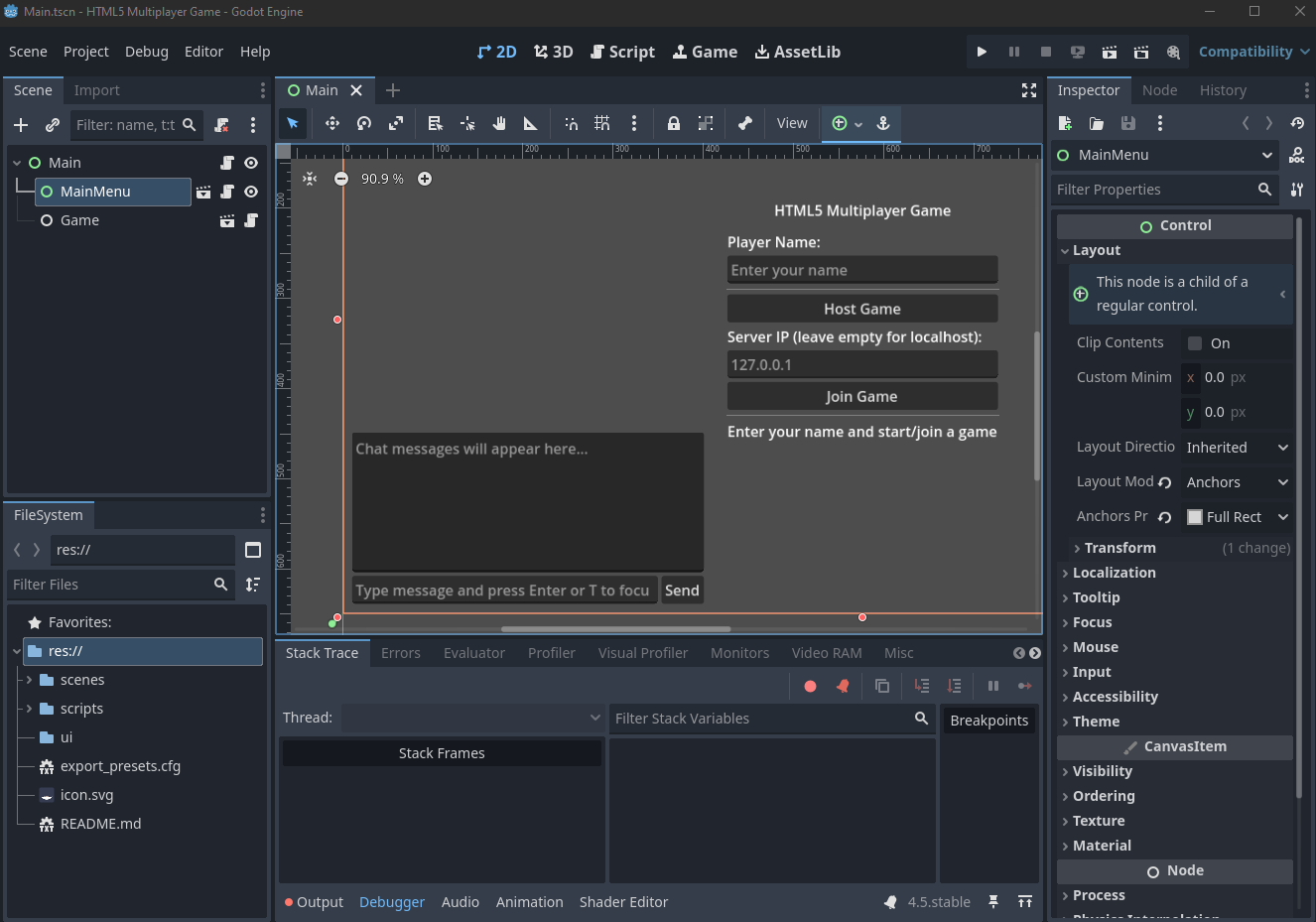
The built-in animation tools are another standout feature. The AnimationPlayer node is remarkably versatile, handling everything from sprite animations to complex 3D character rigs. Combined with the AnimationTree for state machines and blending, you have professional-grade animation tools right out of the box.
What truly sets Godot apart, though, is the community and philosophy. As FOSS, there are no licensing fees, no royalties, and no black-box components. The development is transparent, the community is welcoming, and the documentation continues to improve. When you build in Godot, you're building on a foundation that won't be yanked away by corporate decisions or pricing changes.
For indie developers and small teams, Godot 4.5 represents an incredible opportunity: professional-grade game development tools without the financial barriers. It's not just an alternative to Unity or Unreal, it's become a first-choice engine in its own right.
Also! It integrates with Aseprite, Blender, and several other external applications seamlessly. There are plugins to handle the ones it doesn't.
Final Thoughts
What strikes me most is how the FOSS community has created tools that genuinely compete with, and often exceed expensive commercial alternatives.
You can download any of them right now and start creating. No subscription fees, no trial periods, just pure creative potential waiting to be unlocked.